Life is short. You need z0scan.
介绍#
z0scan(简称z0)是一款基于Python并兼具本地与分布式能力的主被动黑盒Web漏洞扫描工具。
z0scan 的具体介绍可见 文章
安装#
安装方式优劣
| 方式 | 优势 | 劣势 |
|---|---|---|
| 发行版本 | 高效高性能 | 自定义插件时不允许引入新的模块 |
| 克隆安装 | 完全的自定义 | 受Python性能约束、依赖繁多且复杂 |
| 容器安装 | 完全的自定义、沙盒环境 | 受Python性能约束、沙盒环境会额外占用存储 |
✔ 发行版本#
获取发布版本:下载
- 想构建适合自己环境的可执行文件?
# 参考网络步骤部署编译环境
...
# 补齐依赖
pip install -r requirements.txt
# 安装编译器
pip install nuitka zstandard imageio
pip install crawlee[playwright,beautifulsoup]
pip install -r requirements.txt

# 构建可执行命令
python3 build.py
# 随后可执行文件会被生成至z0scan文件夹中
# 同时脚本会将z0scan文件压缩为一份zip文件备份
✔ 克隆安装#
克隆项目
# GitHub
git clone https://github.com/JiuZero/z0scan
# Gitee
git clone https://gitee.com/JiuZero/z0scan
安装依赖
cd z0scan
pip install -r requirements.txt
python3 z0.py help
在诸如iSH、Termux等特殊环境下,其部分依赖由pip安装编译可能产生报错
解决方案如下:
# Termux
apt install python-cryptography python-lxml
pip install -r requirements.txt
# AlpineLinux / iSH
apk add py3-cryptography py3-lxml py3-certifi py3-six py3-idna py3-certifi py3-cffi
pip install -r requirements.txt
✔ 容器安装 - Docker#
git clone https://github.com/JiuZero/z0scan
docker build -t z0scan .
docker run z0scan
# python3 z0.py help
使用#
参数#
version#
| 参数 | 输入值示例 | 说明 |
|---|---|---|
| / | / | 显示版本信息 |
根据你的代码,我来修改和完善文档:
scan 命令参数说明#
| 参数 | 输入值示例 | 说明 | 参数分组 |
|---|---|---|---|
| 目标选项 (Target) | |||
-u, --url | http://example.com | 目标URL | Target |
-f, --file | urls.txt | 批量扫描URL文件 | Target |
-Rs, --redis-server | password@host:port:db | 连接到redis并作为服务端接受任务 | Target |
| 代理选项 (Proxy) | |||
-s, --server-addr | 127.0.0.1:5920 | 服务器地址格式(ip:port) | Proxy |
| 连接选项 (Connection) | |||
-R, --reverse-client | - | 连接到反连平台 | Connection |
-Rc, --redis-client | password@host:port:db | 连接到redis并作为客户端发送任务 | Connection |
| 爬虫选项 (Crawler) | |||
--crawler | - | 启用爬虫模式,在扫描前发现URL | Crawler |
--max-tabs | 8 | 爬虫最大标签页数(默认8) | Crawler |
--max-crawled | 200 | 最大爬取URL数量(默认200) | Crawler |
--filter-mode | smart | URL过滤模式: simple/smart/strict(默认smart) | Crawler |
--tab-timeout | 20 | 单个标签页超时时间(秒,默认20) | Crawler |
--dom-timeout | 5 | DOM加载超时时间(秒,默认5) | Crawler |
--ignore-keywords | logout,quit,exit | 忽略包含关键词的URL(默认logout,quit,exit) | URL Filter |
--push-pool | 10 | 最大并发推送请求数(默认10) | Passive Scanning |
| 认证选项 (Authentication) | |||
--cookies | session=xxx; token=yyy | 自定义cookies | Authentication |
--headers | {"Authorization": "Bearer xxx"} | 自定义HTTP头部(JSON格式) | Authentication |
| 请求选项 (Request) | |||
-p, --proxy | http://127.0.0.1:8080 或 proxy.txt | 代理设置(支持http/https/socks5/socks4),支持从文件读取 | Request |
--timeout | 10 | 连接超时时间(默认config.TIMEOUT) | Request |
--retry | 3 | 超时重试次数(默认config.RETRY) | Request |
--random-agent | - | 使用随机User-Agent | Request |
| 输出选项 (Output) | |||
--html | - | 输出HTML报告到默认目录 | Output |
--json | report.json | 指定JSON报告输出路径 | Output |
| 优化选项 (Optimization) | |||
-t, --threads | 50 | 插件任务线程数(默认config.THREADS) | Optimization |
-l, --level | 2 | 检测级别(0-3,默认config.LEVEL),级别3会忽略指纹引导的payload筛选 | Optimization |
-r, --risk | "0,1,2" | 设置初始化扫描器的威胁级别: [0, 1, 2, 3] (默认config.RISK) | Optimization |
-i, --includes | "com,cn" | 白名单,仅对包含关键字的URL的扫描 | Optimization |
-e, --excludes | "edu.cn,gov.cn" | 黑名单,排除对包含关键字的URL的扫描 | Optimization |
-iw, --ignore-waf | - | 忽略WAF检测 | Optimization |
-sp, --skip-pocscan | - | 跳过指纹针对性POCs检测 | Optimization |
-sc, --scan-cookie | - | 启用Cookie扫描 | Optimization |
-pt, --plugin-threads | 3 | 插件内线程数(默认config.PLUGIN_THREADS) | Optimization |
-cp, --console-port | 5920 | 控制台端口(默认config.CONSOLE_PORT) | Optimization |
-dl, --deduplicate-level | 1 | 去重策略级别: 0-2 (默认config.DEDUPLICATE_LEVEL) | Optimization |
--disable | "xss,sqli" | 禁用指定扫描器(默认config.DISLOAD) | Optimization |
--enable | "rce,ssrf" | 仅启用指定扫描器 | Optimization |
--ipv6 | - | 优先使用IPV6解析 | Optimization |
--redis-clean | - | 清理redis数据库的队列记录 | Optimization |
--debug | 2 | 异常显示级别(1-3) | Optimization |
注意
--enable、--disable与--risk仅作用于初始化加载中的筛选,在被动扫描中用户可以通过控制台任意启闭插件- 扫描优先级:pocs > PerDomain > PerPage > PerDir > PerHost
- 分布式被动扫描时 Z0Scan 并不会自动清理队列,请使用
--redis-clean- Json 为必选的报告生成类型,在扫描过程中Json文本中会因缺少
]闭合而导致解析失败- 在白名单规则对URL筛选后再交由黑名单二级筛选
- ObserverWard 与 Nuclei 的联动需要将 ObserverWard 与 Nuclei 都配置到系统环境变量中
ObserverWard 与 Nuclei 的联动部署
‘’’
从GitHub上的项目发布页上获取最新的 Nuclei 与 ObserverWard 的发行包:
https://github.com/emo-crab/observer_ward/releases/
https://github.com/projectdiscovery/nuclei/releases配置到系统环境变量中
注意 ObserverWard 可执行包需要命名为 observerward
配置plugins&fingerprints
执行:observerward --update-pluginobserverward -u
‘’’
list#
| 参数 | 输入值示例 | 说明 |
|---|---|---|
| / | / | 列出插件、指纹与字典信息 |
reverse#
| 参数 | 输入值示例 | 说明 |
|---|---|---|
| / | / | 启动反连平台 |
z0 scan 命令使用示例#
基础扫描模式#
单目标扫描:
z0 scan -u "http://example.com" -s "127.0.0.1:5920"
批量目标扫描:
z0 scan -f urls.txt -s "127.0.0.1:5920"
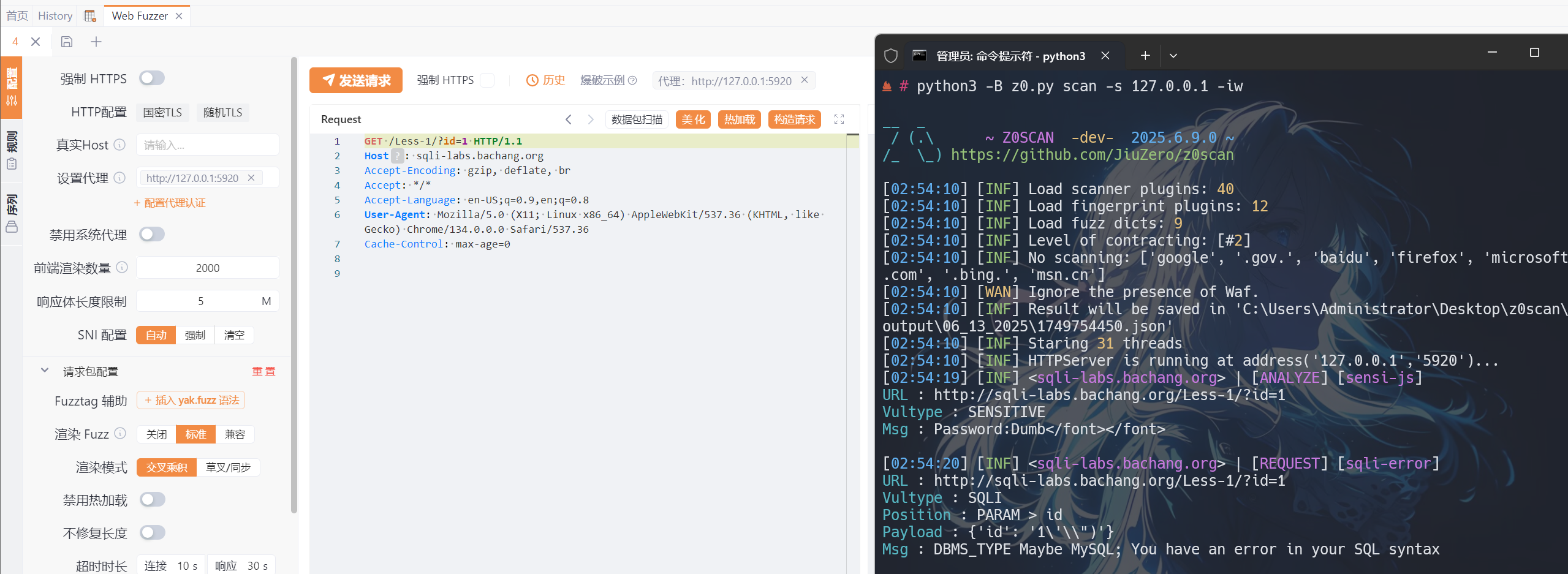
使用代理扫描:
# 推荐由Burp/Yakit发起请求流量的主动检测
z0 scan -s 127.0.0.1:5920
爬虫模式扫描#
基础爬虫扫描:
z0 scan -u "http://example.com" -s "127.0.0.1:5920" --crawler
高级爬虫配置:
z0 scan -u "http://example.com" -s "127.0.0.1:5920" --crawler \
  --max-tabs 12 \
  --max-crawled 500 \
  --tab-timeout 30 \
  --dom-timeout 10 \
  --push-pool 15
带认证的爬虫扫描:
z0 scan -u "http://example.com" -s "127.0.0.1:5920" --crawler \
  --cookies "session=abc123; token=xyz789" \
  --headers '{"Authorization": "Bearer eyJhbGciOiJIUzI1NiIsInR5cCI6IkpXVCJ9"}'
自定义URL过滤:
z0 scan -u "http://example.com" -s "127.0.0.1:5920" --crawler \
  --ignore-keywords "logout,admin,delete" \
  --filter-mode "strict"
Redis 集成模式#
作为Redis服务端:
z0 scan -Rs "password@redis-host:6379:0" -s "127.0.0.1:5920"
作为Redis客户端:
z0 scan -u "http://example.com" -Rc "password@redis-host:6379:0"
输出选项#
生成HTML报告:
z0 scan -u "http://example.com" -s "127.0.0.1:5920" --html
生成JSON报告:
z0 scan -u "http://example.com" -s "127.0.0.1:5920" --json "scan_report.json"
优化配置示例#
高性能扫描:
z0 scan -u "http://example.com" -s "127.0.0.1:5920" \
  -t 50 \
  -pt 5 \
  -l 3 \
  -r "0,1,2,3" \
  --timeout 10 \
  --retry 3
针对性扫描:
z0 scan -u "http://example.com" -s "127.0.0.1:5920" \
  -i "api,admin" \
  -e "static,image" \
  --enable "sqli,xss,rce"
调试模式#
开启调试信息:
z0 scan -u "http://example.com" -s "127.0.0.1:5920" --debug 3
注意事项#
- 必需参数:所有扫描模式都需要至少一个目标来源(
-u、-f或-Rs) - 爬虫模式:必须同时使用
-u和-s参数 - 服务器地址:
-s参数指定被动扫描代理服务器地址 - 线程控制:根据目标服务器性能调整线程数,避免过载
工作流程说明#
finger指纹会将主页所检索到的指纹进行报告,
除外还会对每一响应页面进行指纹匹配并对应性去重载入POCs为减少内存负担,Z0Scan在初始化过程中仅对pocs进行信息记录。
其会在指纹检出后主动载入插件并运行。Z0Scan 在被动扫描下并不会主动触发页面功能点/爬取URL
控制台的“暂停”用于暂停扫描任务,但仍会进行流量队列!
这项设计是为了避免扫描器流量与代理流量间的竞争。IP ban 判断:Z0Scan 会在每次请求前统计一次最近10次请求中的失败个数,
如大于您配置的值(BLOCK_COUNT),它将判断为被ban而在后续扫描过程中不对该网站产生请求。
插件示例(部分)#
示例目标均为内网/外网公开靶场
sqli-bool#
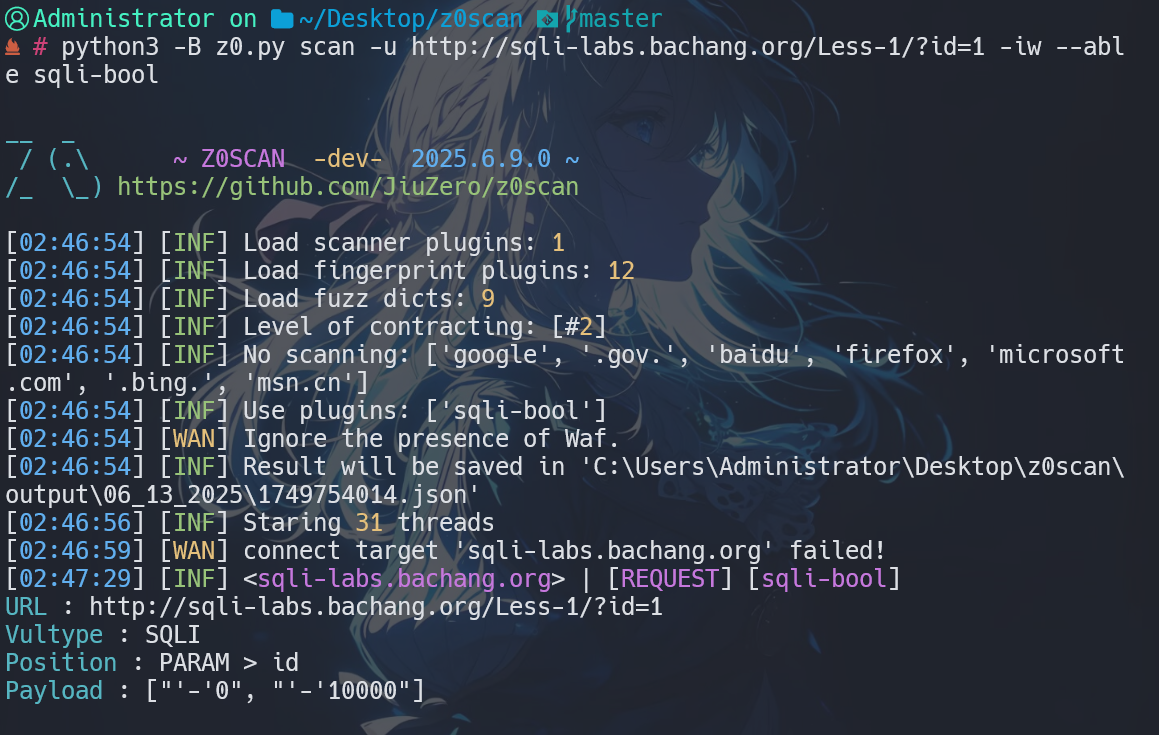
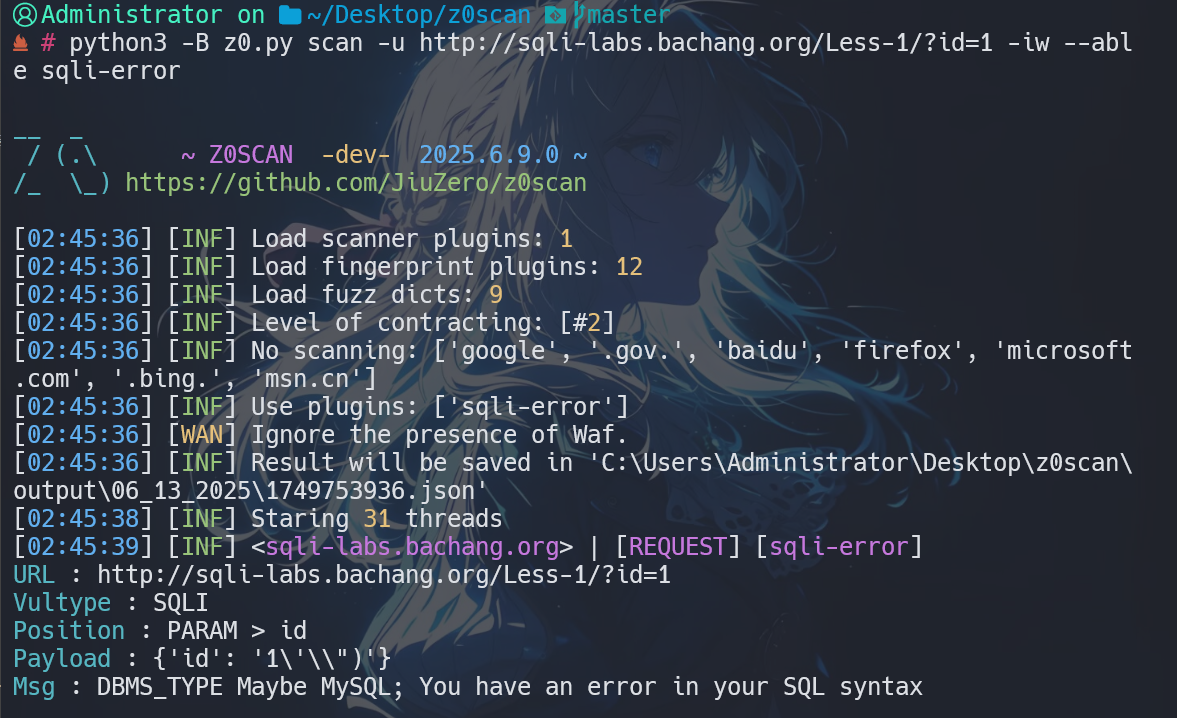
sqli-error#
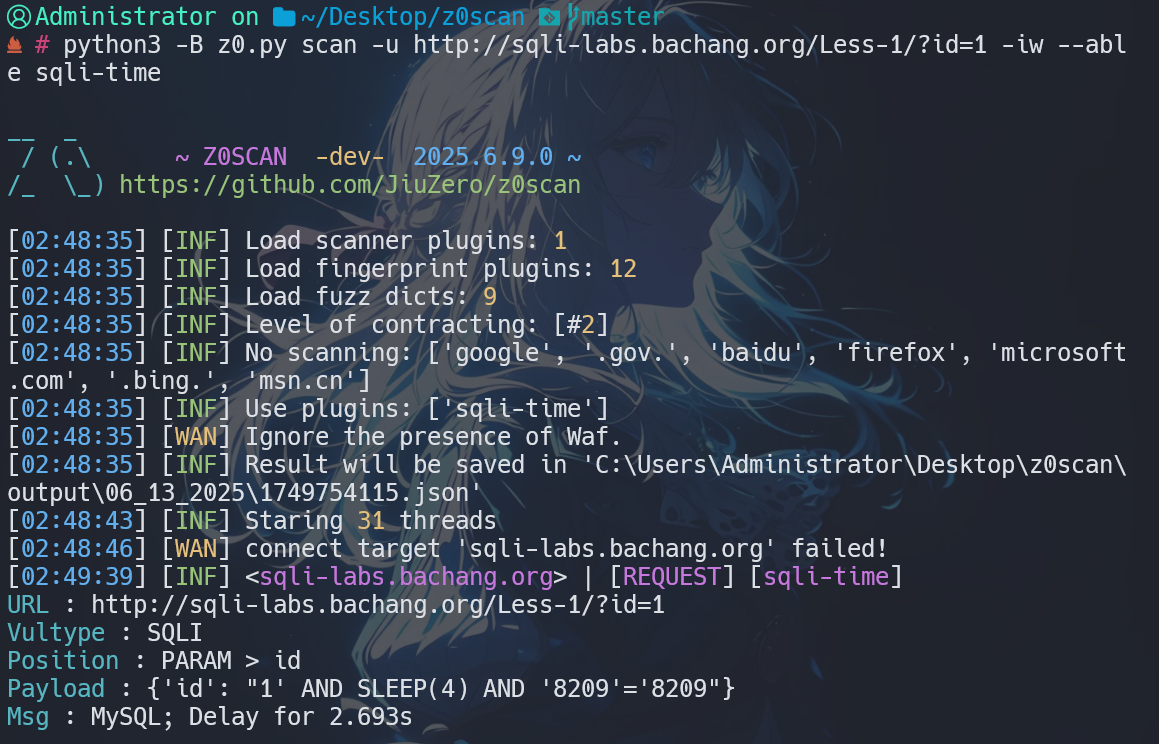
sqli-time#
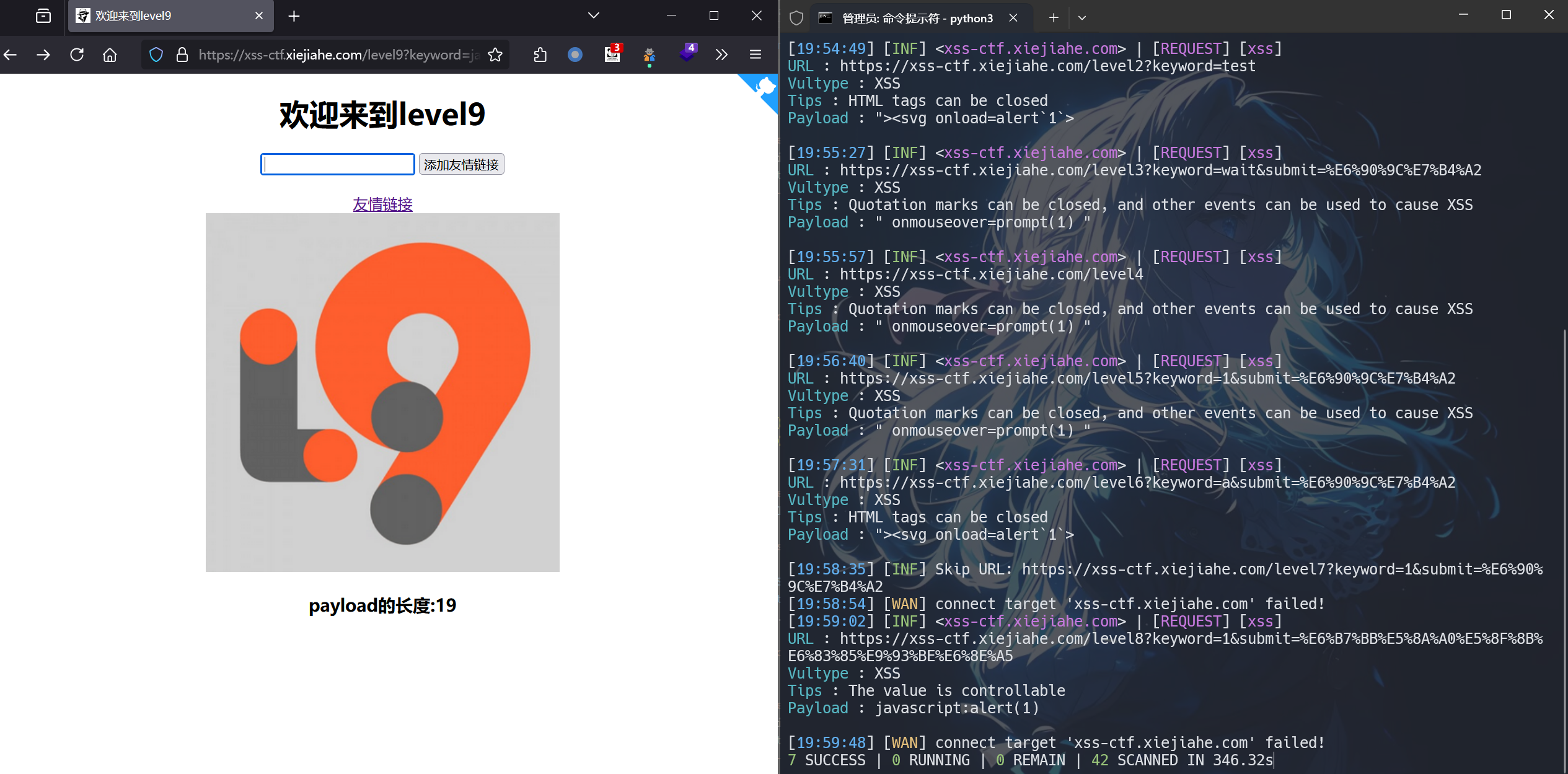
xss#
leakpwd-page-passive#

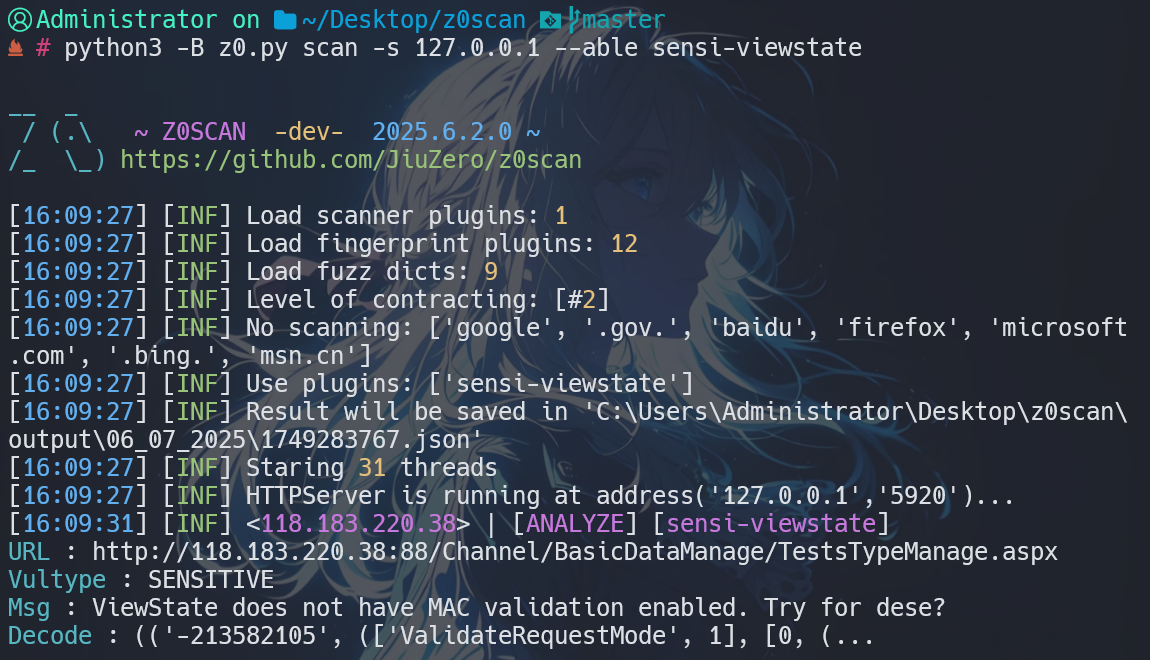
sensi-viewstate#
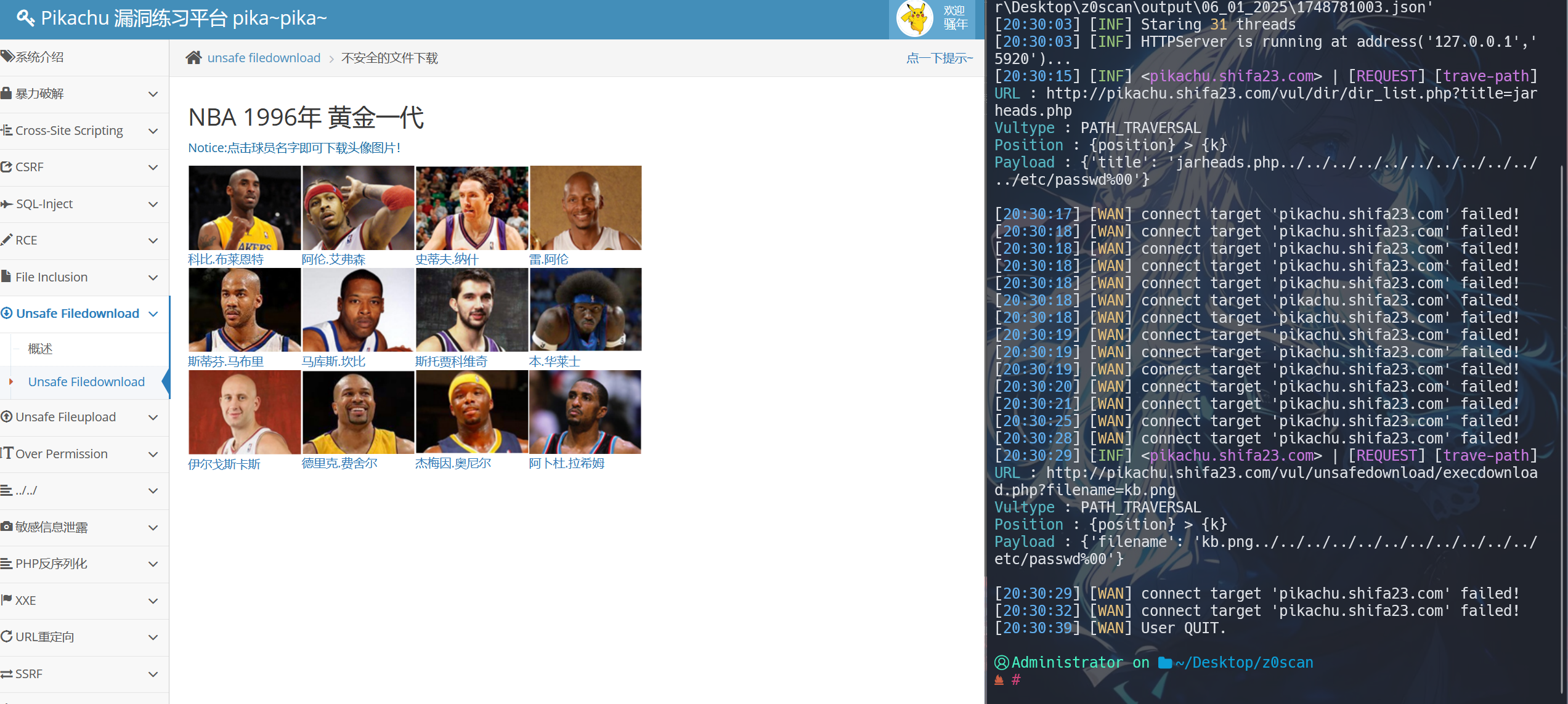
trave-path#
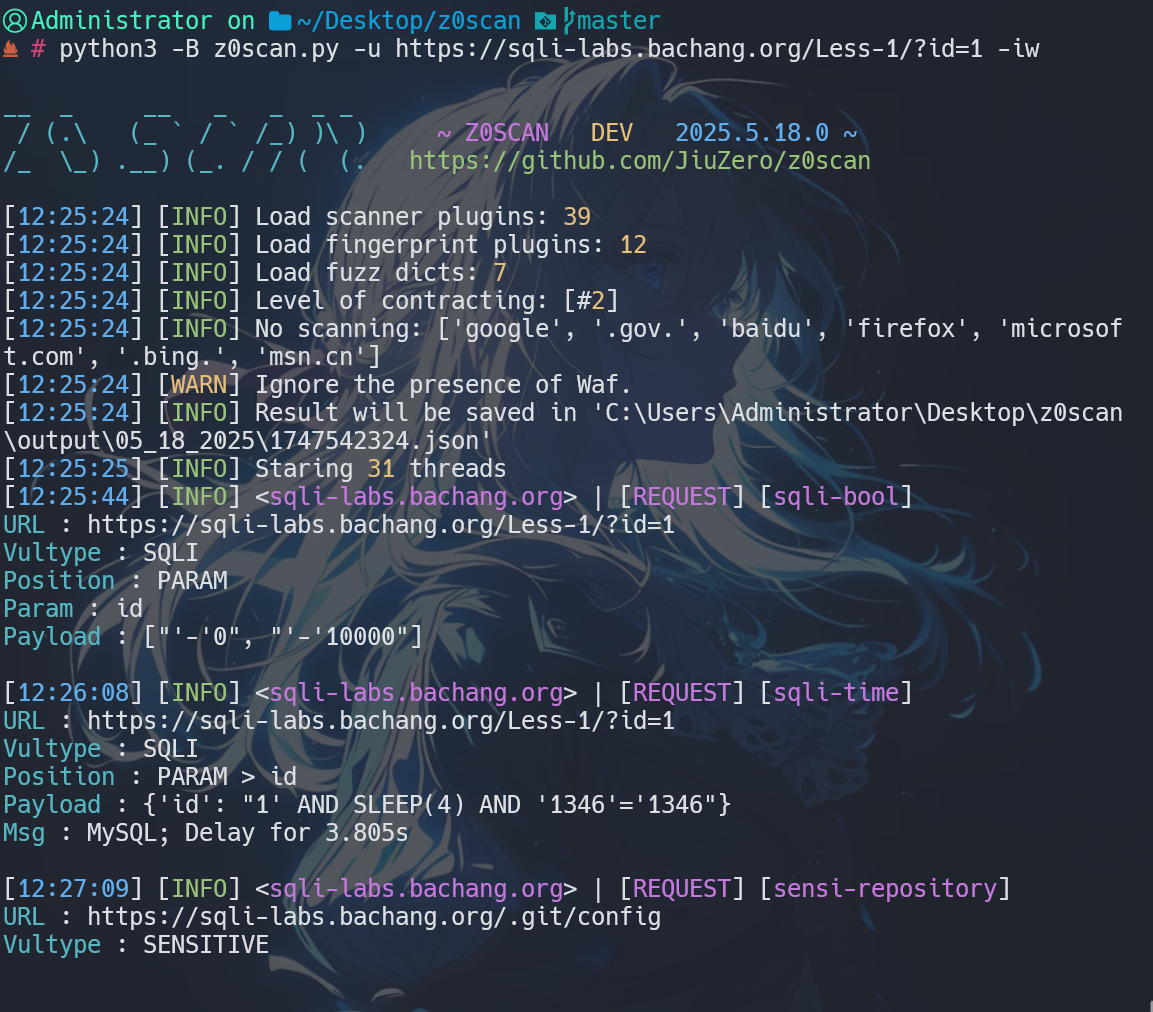
sensi-repository#
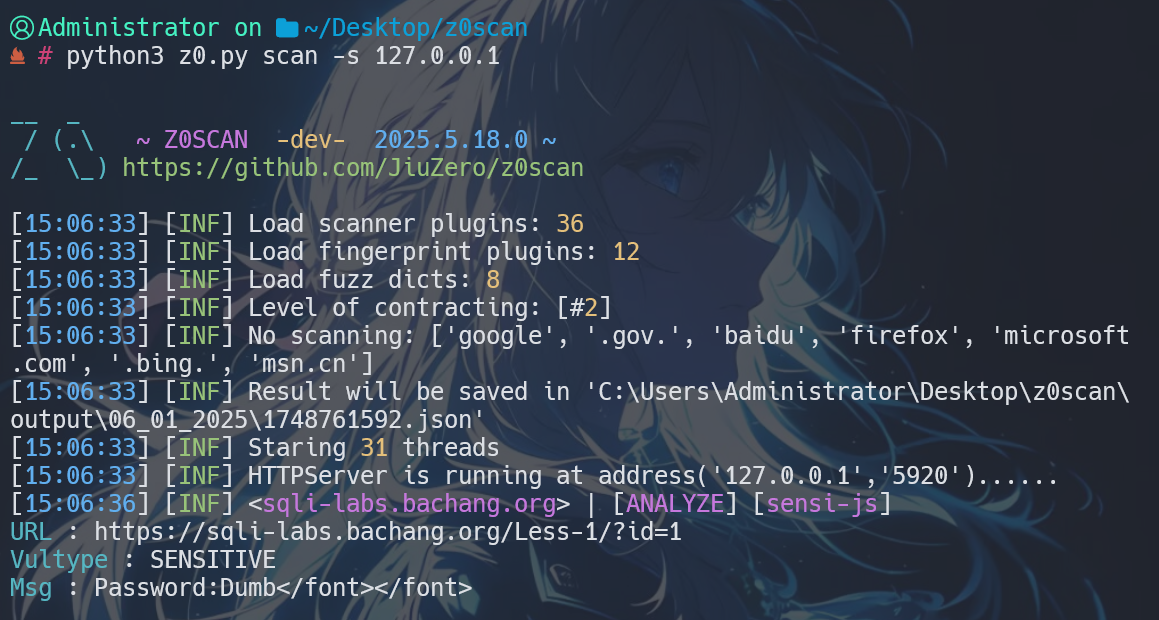
sensi-js#
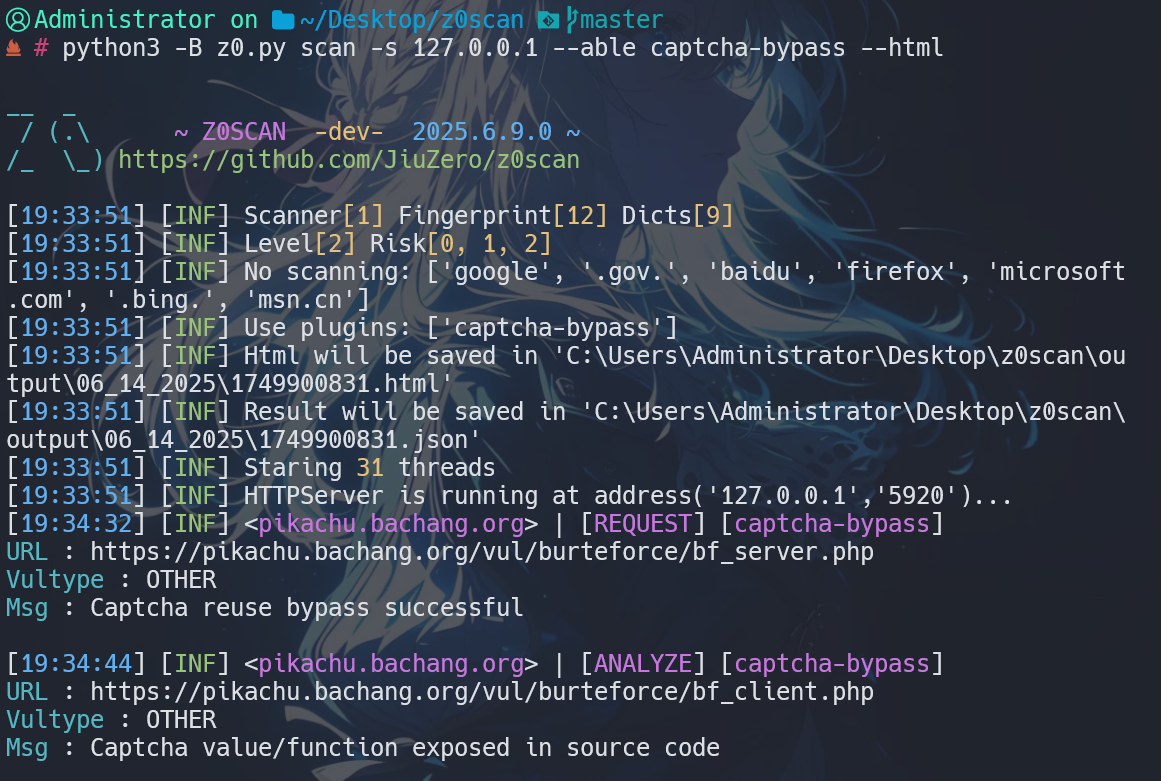
captcha-bypass#
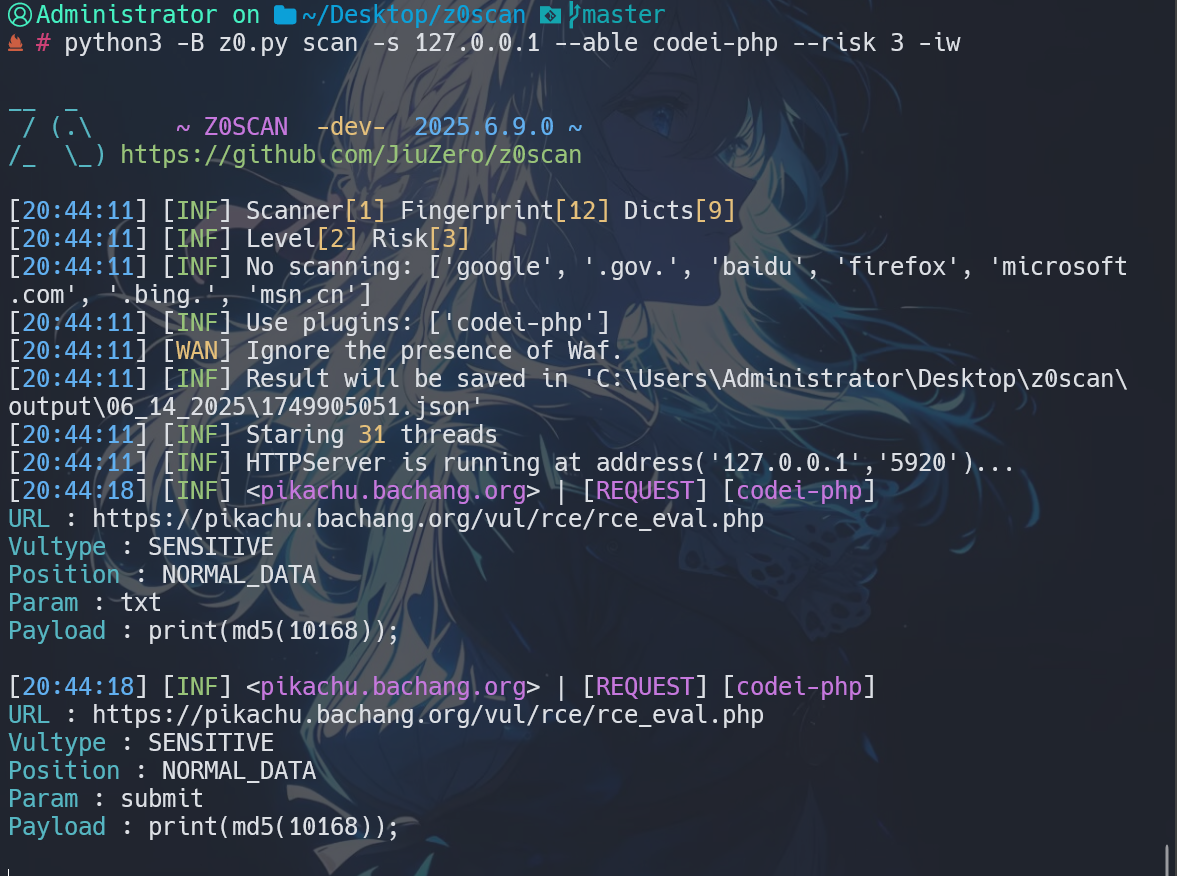
codei-php#
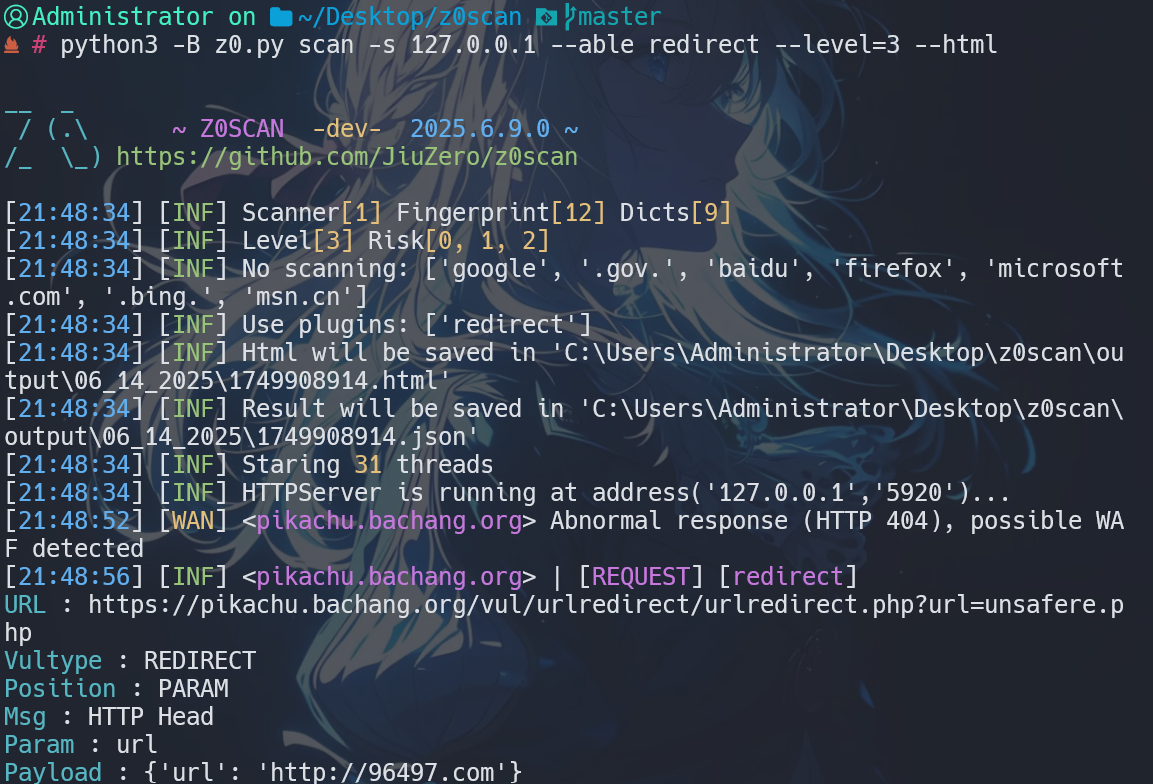
redirect#
trave-list#

crlf_1#